Your internet keeps dropping. Now you'll know when.
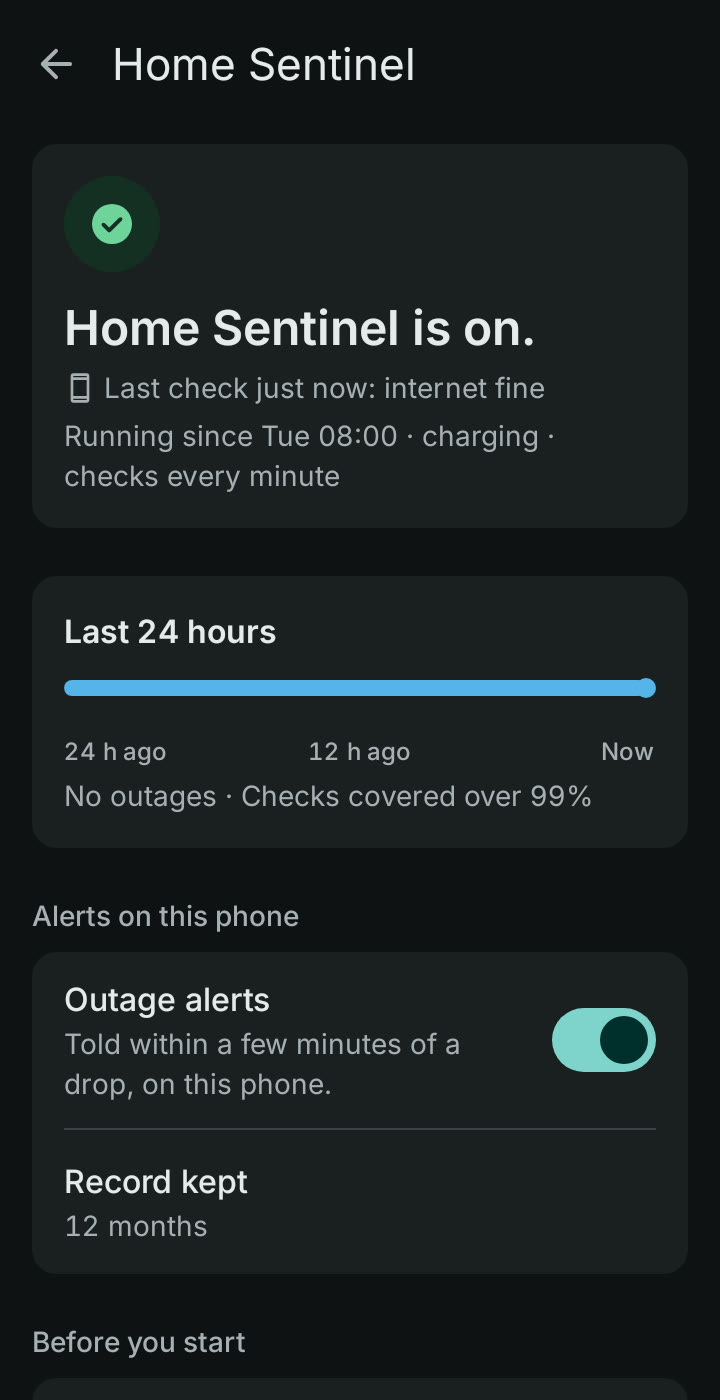
Stillwire keeps a record of when your home connection worked and when it didn't. Put a spare Android phone on Home Sentinel and it checks your internet every minute, even while you sleep. No more guessing when you call your provider.
One email when it's ready. No spam, unsubscribe anytime.
Watch your connection, control your Wi-Fi, and get more out of your gaming setup.
For gamers
Lag spikes? It might not be the servers.
Stillwire finds the crowded channel and the device hogging your connection, then lets you fix it.
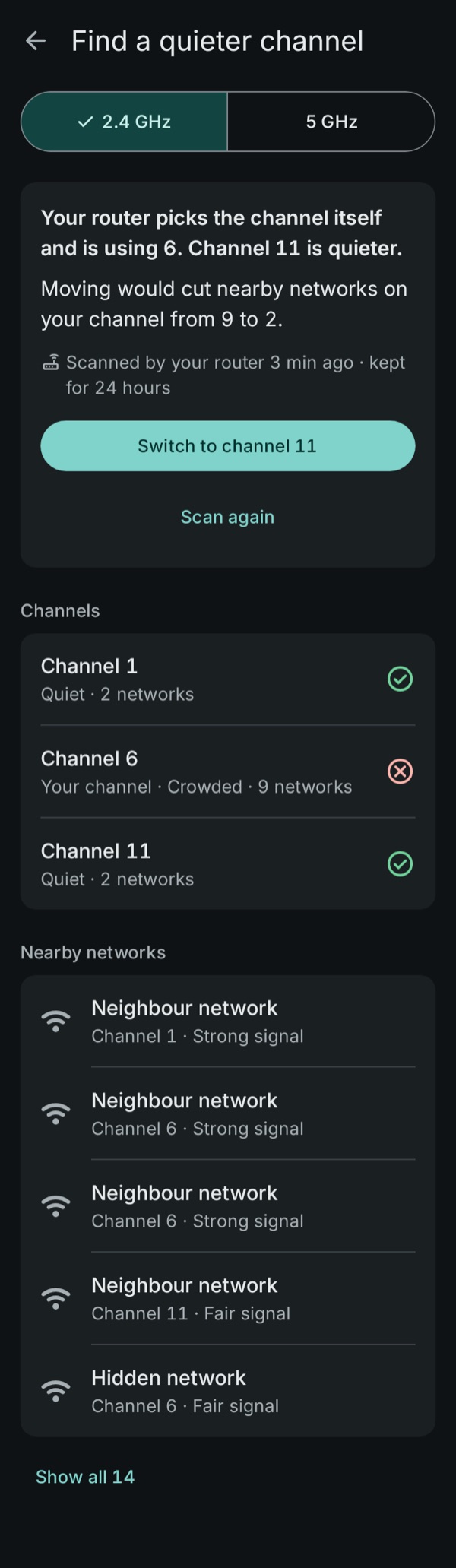
Find a quieter Wi-Fi channel
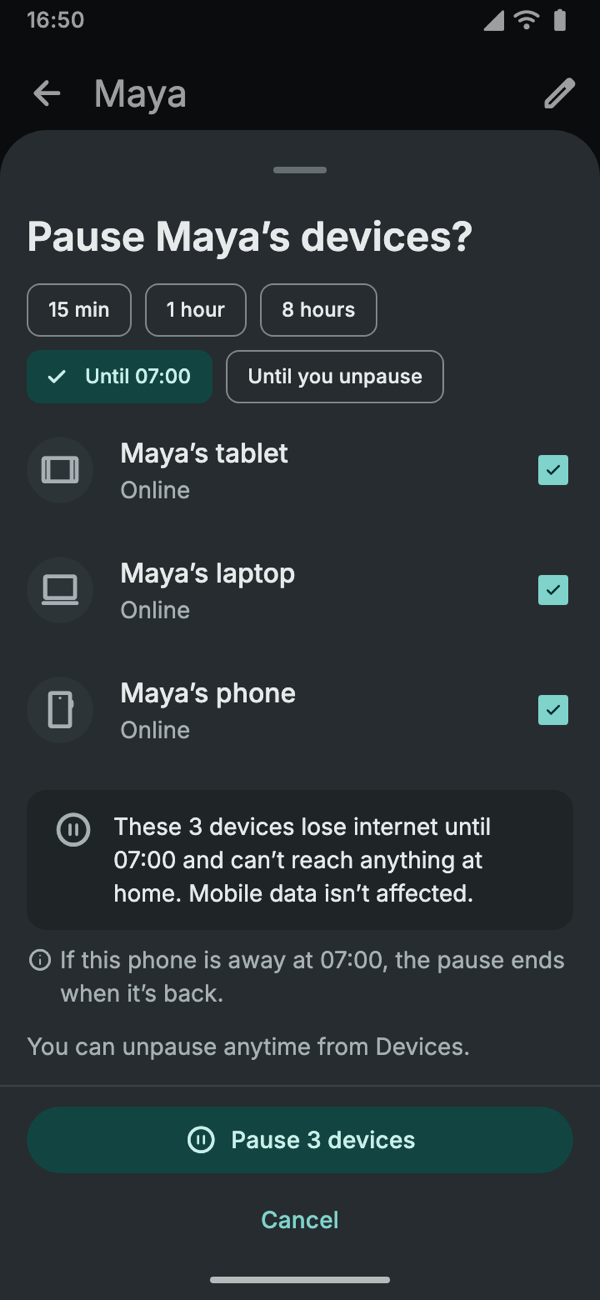
Pause a device in one tap
Know when your internet fails
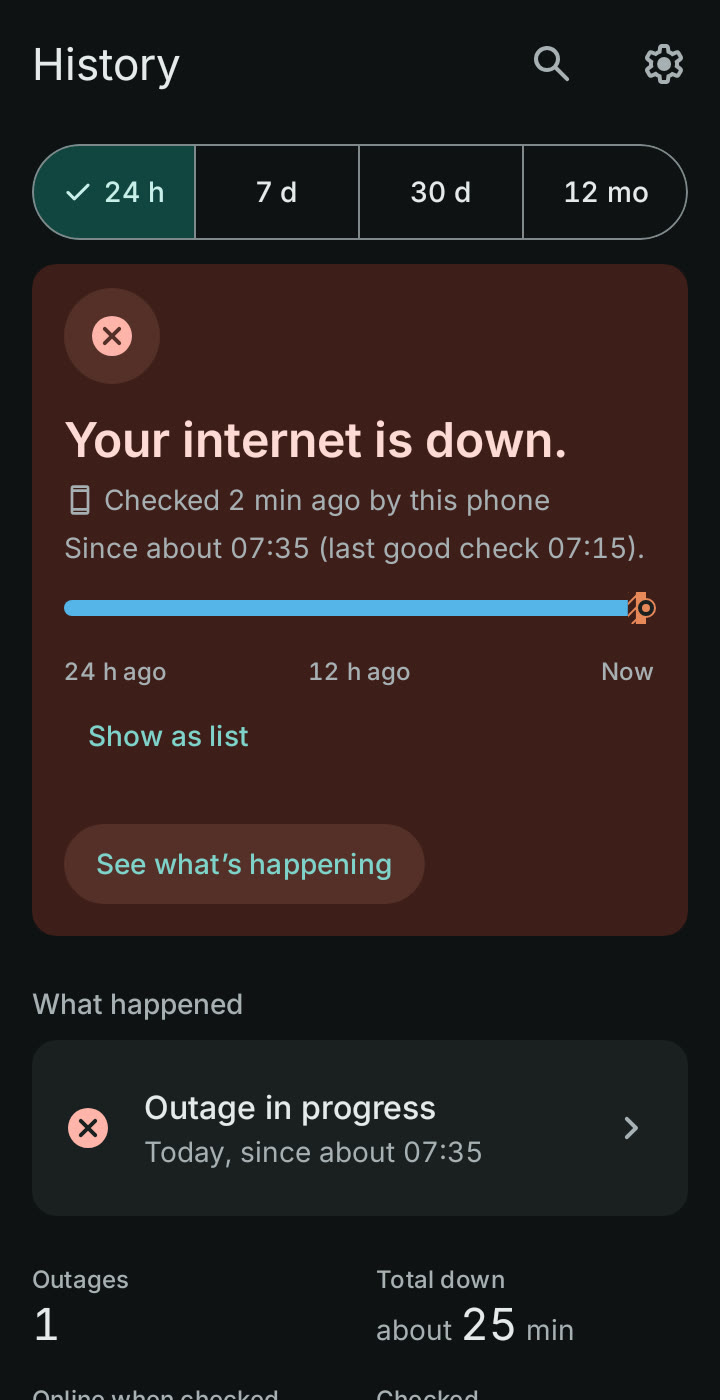
Outage history
Exactly when it dropped and when it came back.
Home Sentinel
Turn a spare phone into a 24/7 internet monitor.
ISP report
A one-page report you can send your provider.
Weekly summary
Every Monday: outages, minutes down, new devices.
Control your Wi-Fi
See who's connected
Every device on your network, named.
Pause any device
One tap. Bedtime, homework, or that 4K stream.
New-device alerts
Know when something new joins.
Guest Wi-Fi + QR
Share Wi-Fi without sharing your password.
Built for gamers
Channel finder
Find a quieter Wi-Fi channel than your neighbours.
5 GHz for your console
Give 5 GHz its own name, keep the console on it.
NAT, UPnP, port forwarding
Fix “NAT: Strict” from your phone.
DNS presets
Cloudflare, Quad9, ad-blocking or family-safe, for the whole house.
Router controls (pause, channel, DNS, NAT and more) work on supported routers. Outage history works on any router.
Give your old phone one job.
That phone in your drawer becomes a 24/7 watch on your home internet.
1
Plug it in
Leave a spare Android phone charging at home, on your home Wi-Fi.
2
Turn on Home Sentinel
It checks your connection every minute and keeps the record on the phone.
3
See exactly when
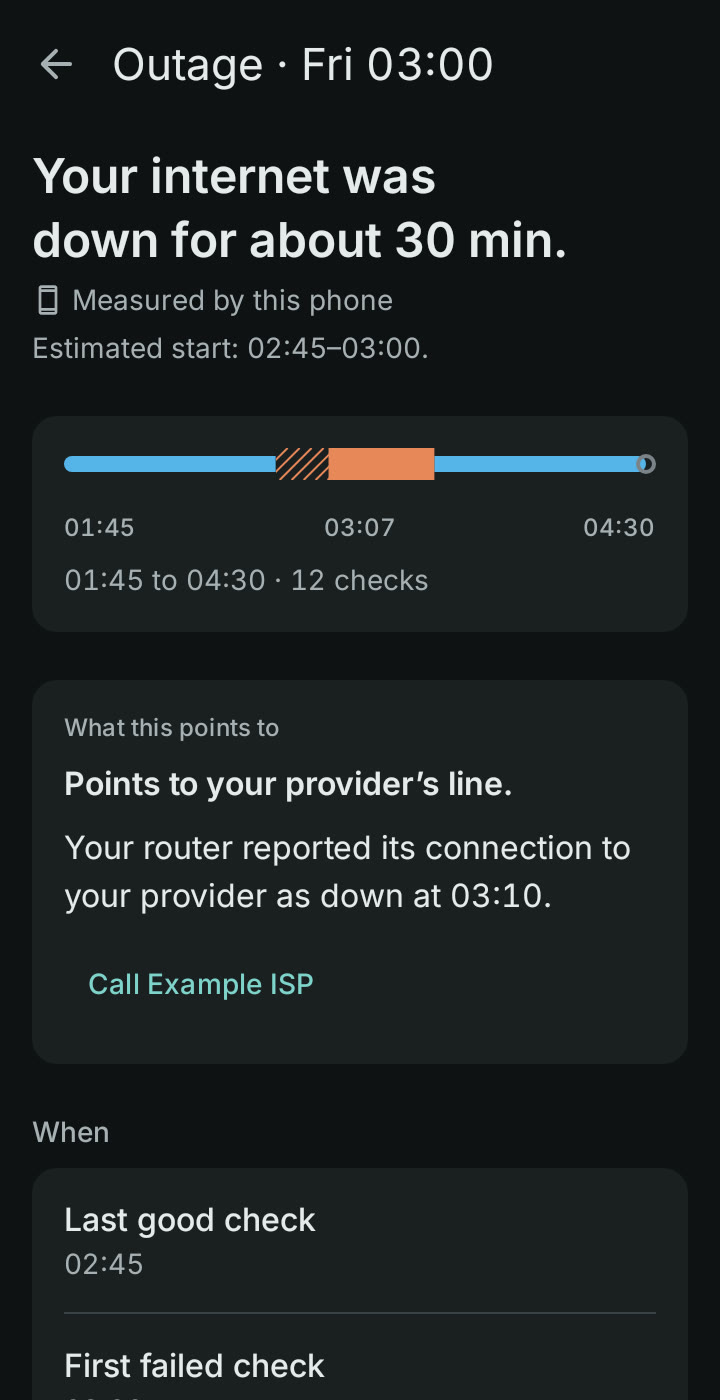
Every drop shows up on a timeline: when it started, when it came back, how long it lasted.
What you'll see
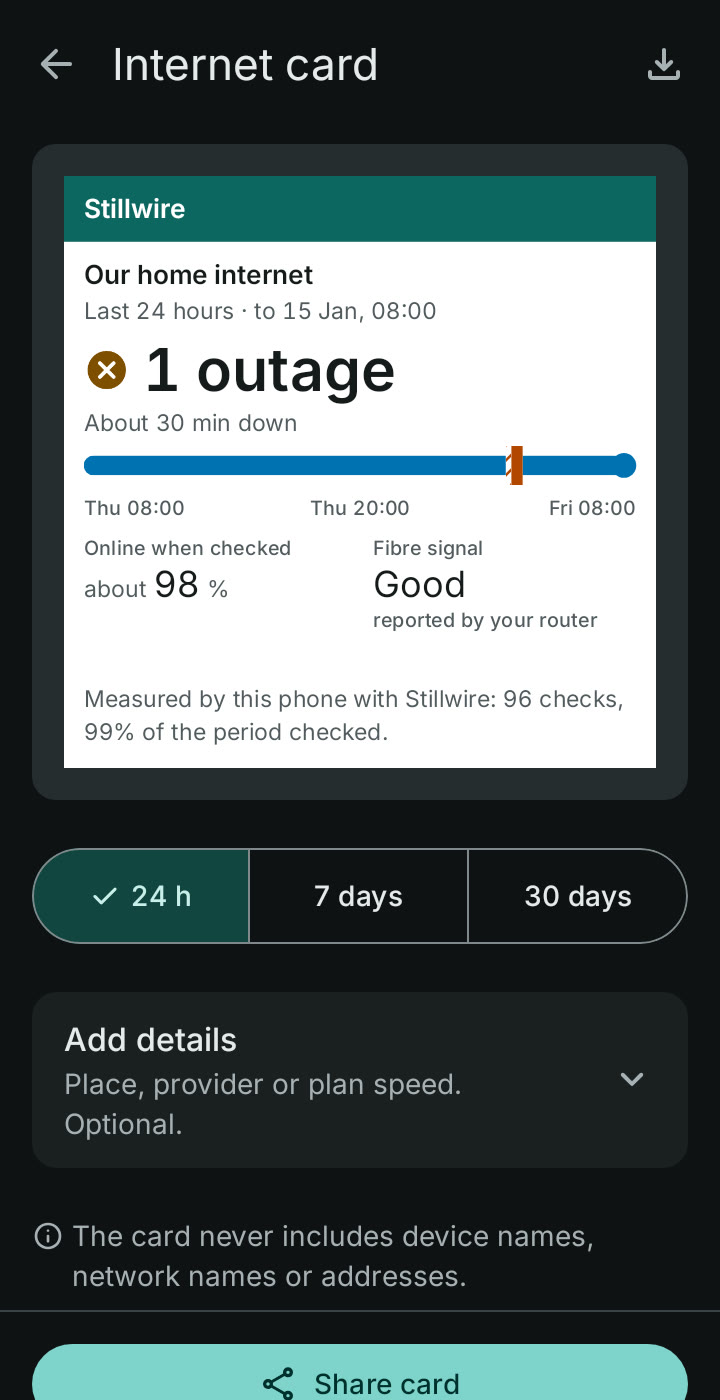
A card you can share or send to your provider
Each outage: start, end, duration
Home Sentinel: a spare phone keeps watch
Honest about what it does
We'd rather you know the limits up front.
Stillwire does
Keep a history of when your internet worked and when it didn't
Check every minute with Home Sentinel (a spare phone, plugged in, at home)
Give you a ready-to-send message for your provider
Make a shareable card of how your internet's been
Turn your history into a one-page report (Pro)
Stillwire doesn't
Claim to know why your internet failed. It records when.
Prove who caused an outage. The report shows what the checks saw.
Give minute-exact times without Home Sentinel. Phone-only checks run about every 15 minutes.
Need your router password for the history.
Questions
Which phones does it work on?
Android. The app is launching soon; join the early-access list and we'll email you once.
Do I need a spare phone?
No. Stillwire works on your everyday phone too, checking about every 15 minutes. A spare phone on Home Sentinel checks every minute, even when you're asleep or away.
Do I need to log in to my router?
Not for the connection history. Some extra features (like a device list) only work with supported routers.
Is it free?
The core history and Home Sentinel are free. Pro adds longer history and the one-page Evidence Report.
What about privacy?
The record is kept on your phone. Share cards never include device names, network names or addresses. Your early-access email is only used to tell you when Stillwire is ready.
 Stillwire
Android · launching soon